

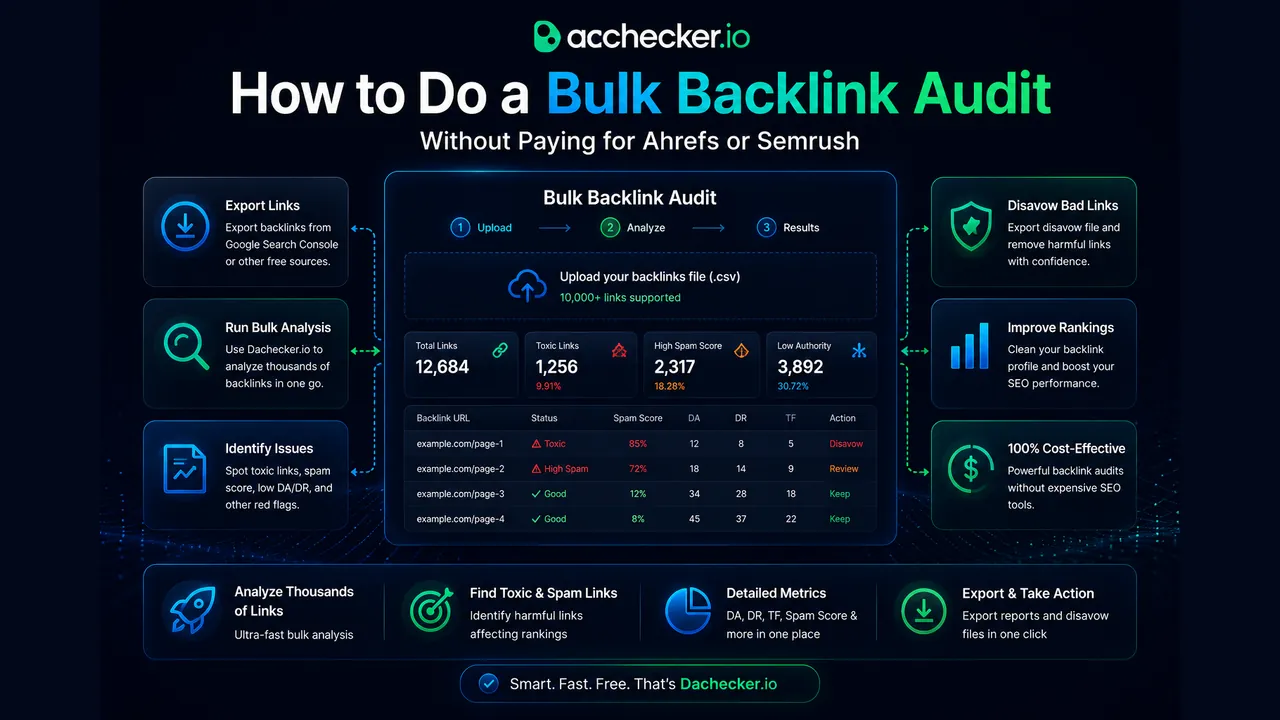
How to Do a Bulk Backlink Audit Without Paying for Ahrefs or Semrush
July 14, 2026
A full Ahrefs subscription runs close to a hundred dollars a month, and Semrush isn't much cheaper. If a client only asks for Semrush's Authority Score, our Semrush checker returns it for a whole list without a Semrush subscription. If you're an agency managing a handful of client sites, that cost adds up fast, and most of what you're actually using those tools for is a periodic backlink audit, not the full feature set. I run audits for clients regularly, and here's the workflow I use when the budget doesn't stretch to a premium subscription.
What a backlink audit is actually checking for
A proper backlink audit isn't just "how many links do we have." You're looking for four specific things: toxic or spammy links that could trigger a manual action, duplicate links from the same referring domain inflating your perceived link count, anchor text over-optimization that looks manipulative to Google, and gaps where a competitor has link sources you're missing entirely. Skip any of these four and the audit is incomplete, no matter how thorough the spreadsheet looks.
Step one: pull your link data without a paid seat
Google Search Console gives you a free, first-party view of every link Google has actually indexed pointing to your site, under Links in the left sidebar. This data is more conservative than Ahrefs or Semrush because it only shows links Google has crawled and counted, but it's genuinely more trustworthy for one reason: it's exactly what Google itself sees, not a third-party crawler's approximation. Export that list, then supplement it with a free-tier pull from our free backlink checker, Ahrefs' free backlink checker or Ubersuggest, all of which allow limited lookups without a subscription. Combine the exports into one spreadsheet and deduplicate by referring domain.
Step two: check quality at scale, not one link at a time
This is where most free workflows fall apart, because checking DA, DR, and TF for two hundred referring domains one at a time in browser extensions takes hours. Instead, take your deduplicated list of referring domains and run it through our bulk DR and TF checker, which returns both metrics for the entire list in one pass instead of one domain at a time.
Pair that with our DA checker for the same list and you've got all three trust and authority signals for your whole link profile without opening a single paid dashboard.
Sort the results by TF-to-CF ratio and DR. Anything with a Trust Flow under 5, paired with a high link count from that domain, is worth a manual look. That combination is the classic signature of a link farm or expired domain network rather than a genuine editorial link.
Step three: flag duplicate and templated links
Open a spreadsheet column for "linking pattern" and manually tag anything that looks templated: identical anchor text repeated across many unrelated domains, sitewide footer or sidebar links, or link exchange patterns where a domain links to you and you link back to it in a suspiciously reciprocal way. A handful of these won't hurt you, but a link profile where thirty percent of links follow the exact same template is a red flag worth addressing before it becomes a bigger problem.
Step four: check anchor text distribution
Pull the anchor text for every backlink in your export and count frequency. A healthy, natural link profile skews heavily toward branded anchors (your company or domain name) and naked URLs, with exact-match keyword anchors making up a small minority, generally under ten percent of total links. If exact-match commercial anchors dominate your list, that's a pattern real editors rarely create on their own, and it's one of the more reliable signals Google's algorithm watches for.
Step five: find the gaps
Run your top two or three competitors' domains through the same bulk DR and TF process. Any referring domain that links to multiple competitors but not to you is a legitimate outreach target, since it's already proven willing to link to sites in your space. This is the single highest-value output of a competitive audit and the part that's easiest to skip when you're trying to save time.
What to do with what you find
Toxic links you can't get removed by direct outreach go into a disavow file submitted through Google Search Console, though I'd caution against disavowing aggressively. Google's algorithms are generally good at ignoring low-quality links without penalizing you for having them, and an overly aggressive disavow file can occasionally strip out links that were doing you no harm. Reserve disavow for genuinely spammy, manipulative-looking link patterns, not just low-DA sites in general. If your audit reveals a genuinely thin or spammy link profile rather than just a few bad apples, rebuilding it with real editorial placements is a slower but far safer path than trying to game the metrics with more volume. Our DA, DR and TF boost services are built around that kind of clean rebuild rather than the tactics that got the profile into trouble in the first place.
A real example from an audit I ran last quarter
A client came to me convinced their backlink profile was fine because their DA had held steady at 32 for over a year. Running the free workflow above turned up something the DA number never revealed: out of roughly 180 referring domains, 40 of them shared the exact same anchor text, "best accounting software," pointing to their homepage. That's not a natural pattern at all, it was leftover from a link exchange scheme a previous marketing contractor had run without telling anyone. The DR and TF pull showed those 40 domains sitting at TF under 10 with a CF-to-TF ratio above 5, while the rest of the profile averaged a healthy TF around 22. We disavowed that specific cluster, and within two months the site's organic traffic on commercial pages had climbed noticeably, likely because Google had been discounting or partially distrusting the entire domain due to that one manipulative pattern sitting in an otherwise clean profile. None of this would have surfaced from a DA check alone. It only showed up once we looked at anchor text distribution and per-domain trust metrics together.
Backlink audit FAQ
- Do I need a paid tool to do a backlink audit?
- No. Google Search Console gives you a first-party link export for free, and combining it with free-tier lookups from other tools plus a bulk metrics checker covers the core of what a paid audit provides.
- How often should I audit my backlink profile?
- Quarterly is a reasonable cadence for most sites. If you're running active link building campaigns or have been hit by a ranking drop, audit immediately rather than waiting for the next scheduled check.
- What Trust Flow to Citation Flow ratio signals a problem?
- A CF-to-TF ratio above 3 on a referring domain is worth investigating. It usually means that domain's own link profile is heavy on low-quality links, which drags down the trust value of anything it links to.
- Should I disavow every low-DA link I find?
- No. Low DA alone isn't a red flag. Reserve disavow for links with genuinely spammy patterns: templated anchors, link farm signatures, or domains with a very low Trust Flow relative to their link volume.
A thorough backlink audit doesn't require a subscription you can't justify for one quarterly check. It requires knowing exactly which four things to look for and having a way to check quality signals across your full link list without doing it one domain at a time.